User Menu
The User Menu gives you access to all the day-to-day functions of your alarm system. To open the User Menu:
- Press 0
- Enter your User Code
The first menu item appears on the display. Press # / next to scroll through the options, and press REC / YES to select an item.
User Menu Flowchart
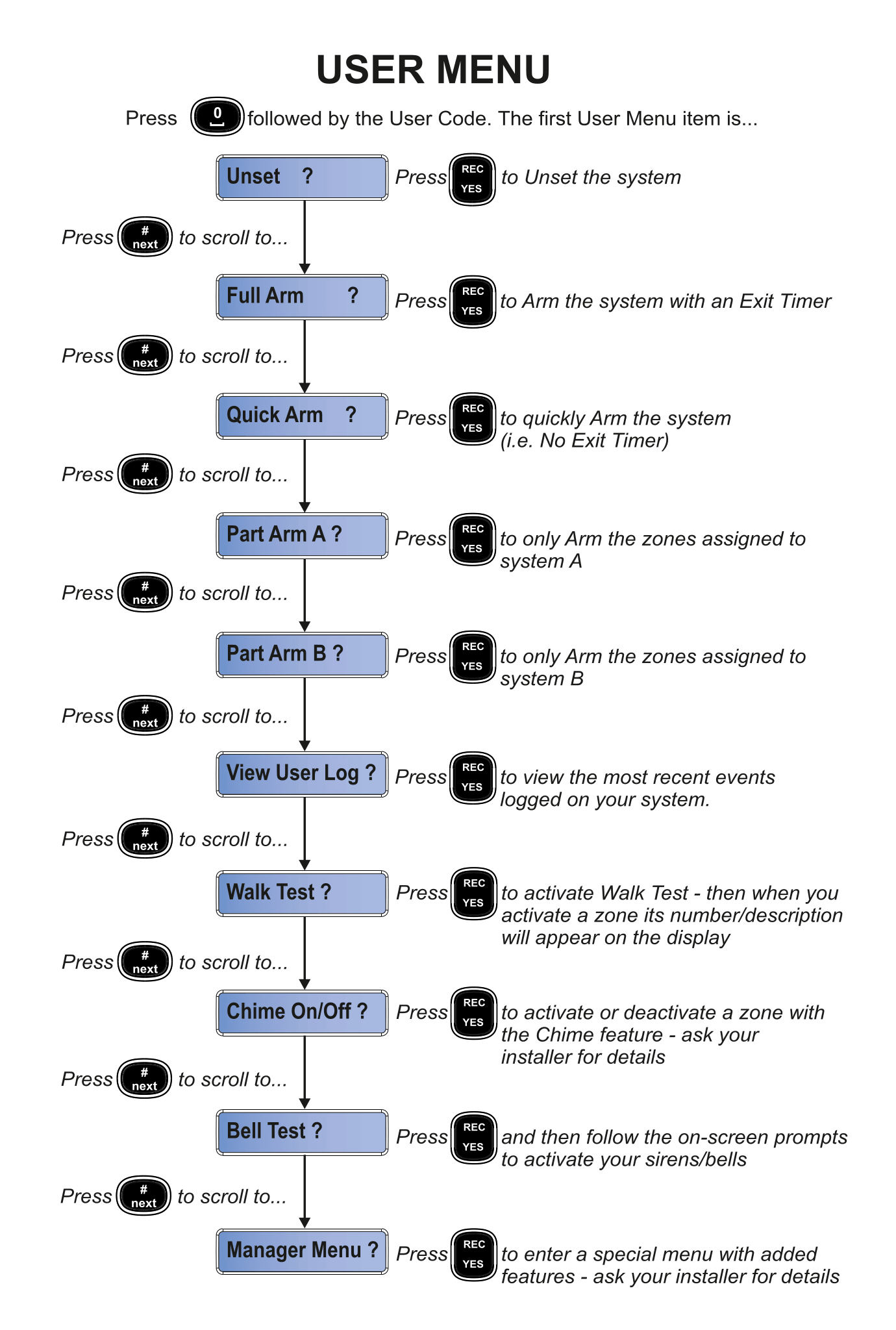
Menu Options
Press # / next to scroll through the following options, and press REC / YES to select:
Unset
Unset ? → Press REC / YES to Unset the system
Disarms the alarm system. Use this when you arrive home.
Full Arm
Full Arm ? → Press REC / YES to Arm the system with an Exit Timer
Arms the entire system with a countdown timer giving you time to leave. See Full Set for details.
Quick Arm
Quick Arm ? → Press REC / YES to quickly Arm the system (i.e. No Exit Timer)
Arms the system instantly without a countdown. Use when you are already outside the protected area.
Part Arm A
Part Arm A ? → Press REC / YES to only Arm the zones assigned to system A
Arms a specific group of zones configured by your installer. See Part Set for details.
Part Arm B
Part Arm B ? → Press REC / YES to only Arm the zones assigned to system B
Arms a different group of zones configured by your installer. See Part Set for details.
View User Log
View User Log ? → Press REC / YES to View the most recent events logged on your system
Shows a list of recent events such as alarms, arm/disarm activity, and faults. Use * / prev and # / next to scroll through the log entries.
Walk Test
Walk Test ? → Press REC / YES to Activate Walk Test
Puts the system into Walk Test mode. When you activate a zone (e.g. walk past a sensor), its number and description appear on the display. This is useful for checking that all sensors are working.
Walk around your home triggering each sensor one by one. The keypad will display the zone number and name for each sensor you activate, confirming it's working.
Chime On/Off
Chime On/Off ? → Press REC / YES to Activate or deactivate the Chime feature on a zone
When Chime is enabled on a zone, the keypad makes a sound whenever that zone is activated (e.g. when a door opens). This is useful for shops or home entrances. Ask your installer for details on which zones can have chime enabled.
Bell Test
Bell Test ? → Press REC / YES and follow the on-screen prompts to activate your sirens/bells
Tests your alarm sirens and bells to ensure they are working. Follow the prompts on the keypad display.
The bell test will briefly sound the alarm. Let your neighbours know if testing during quiet hours.
Manager Menu
Manager Menu ? → Press REC / YES to Enter a special menu with added features
The Manager Menu provides advanced options such as changing user codes, setting the date and time, and viewing the engineering log. See Manager Menu for details.
Access to the Manager Menu may be restricted. Ask your installer if this feature is available for your user code.