Remote Reset (UK Only)
Your system may be programmed to require a Remote Reset after a confirmed alarm activation. This means you cannot re-arm the system until you contact your Alarm Centre and receive a reset code.
When Is a Remote Reset Needed?
A Remote Reset is required when:
- There has been a confirmed alarm activation
- Your system has been configured by your installer to require a reset before re-arming
How to Perform a Remote Reset
Step 1: Unset the System
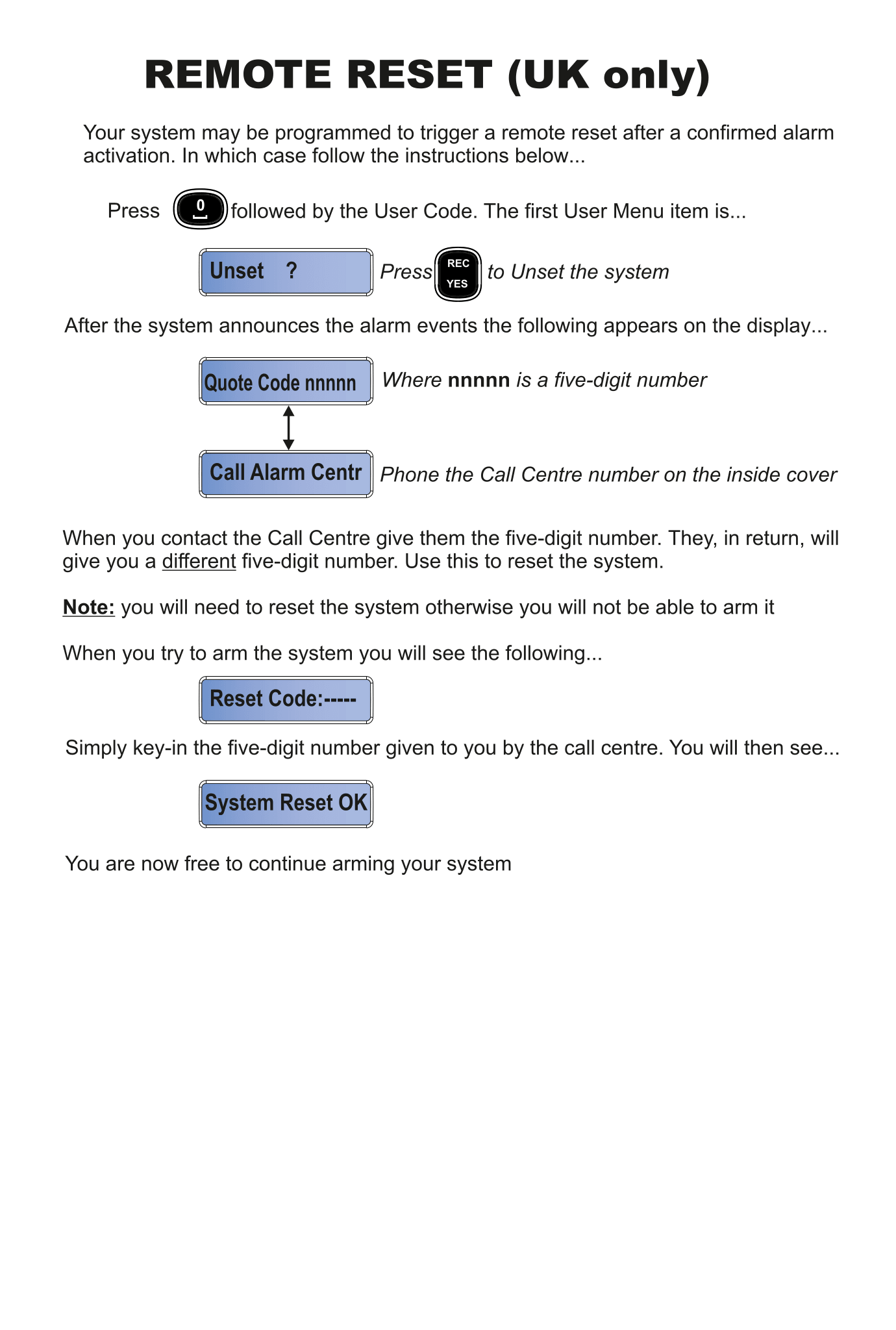
- Press 0 followed by your User Code
- The first User Menu item appears on the display: "Unset ?"
- Press REC / YES to Unset the system
Step 2: Note the Quote Code
After the system announces the alarm events, the display shows:
Quote Code nnnnn
where nnnnn is a five-digit number. Write this number down.
Step 3: Call Your Alarm Centre
The display then shows:
Call Alarm Centr
Call the Alarm Centre using the phone number on the inside cover of your keypad.
- Give them the five-digit Quote Code
- They will give you a different five-digit number in return — this is your Reset Code
Step 4: Enter the Reset Code
When you try to arm the system, you will see:
Reset Code:-----
- Simply key in the five-digit reset code given to you by the Alarm Centre
- The display will show: System Reset OK
- You are now free to continue arming your system normally
Troubleshooting
If you do not reset the system after a confirmed alarm, you will not be able to arm it. The system will continue to show the Reset Code prompt until a valid code is entered.
Keep your Alarm Centre's phone number somewhere accessible (e.g. saved in your mobile phone) so you can reach them quickly if needed.
| Issue | Solution |
|---|---|
| Forgot to write down the Quote Code | Unset and re-enter the User Menu to see it again |
| Alarm Centre gave an invalid code | Ask them to re-issue the code — make sure you read the Quote Code correctly |
| Cannot reach the Alarm Centre | Contact your installer for assistance |