RF Keyfob — Wireless Remote Control
If your system includes an RF Keyfob, you can arm and disarm your alarm remotely without using the keypad. The keyfob is a small wireless remote that fits on your keyring.
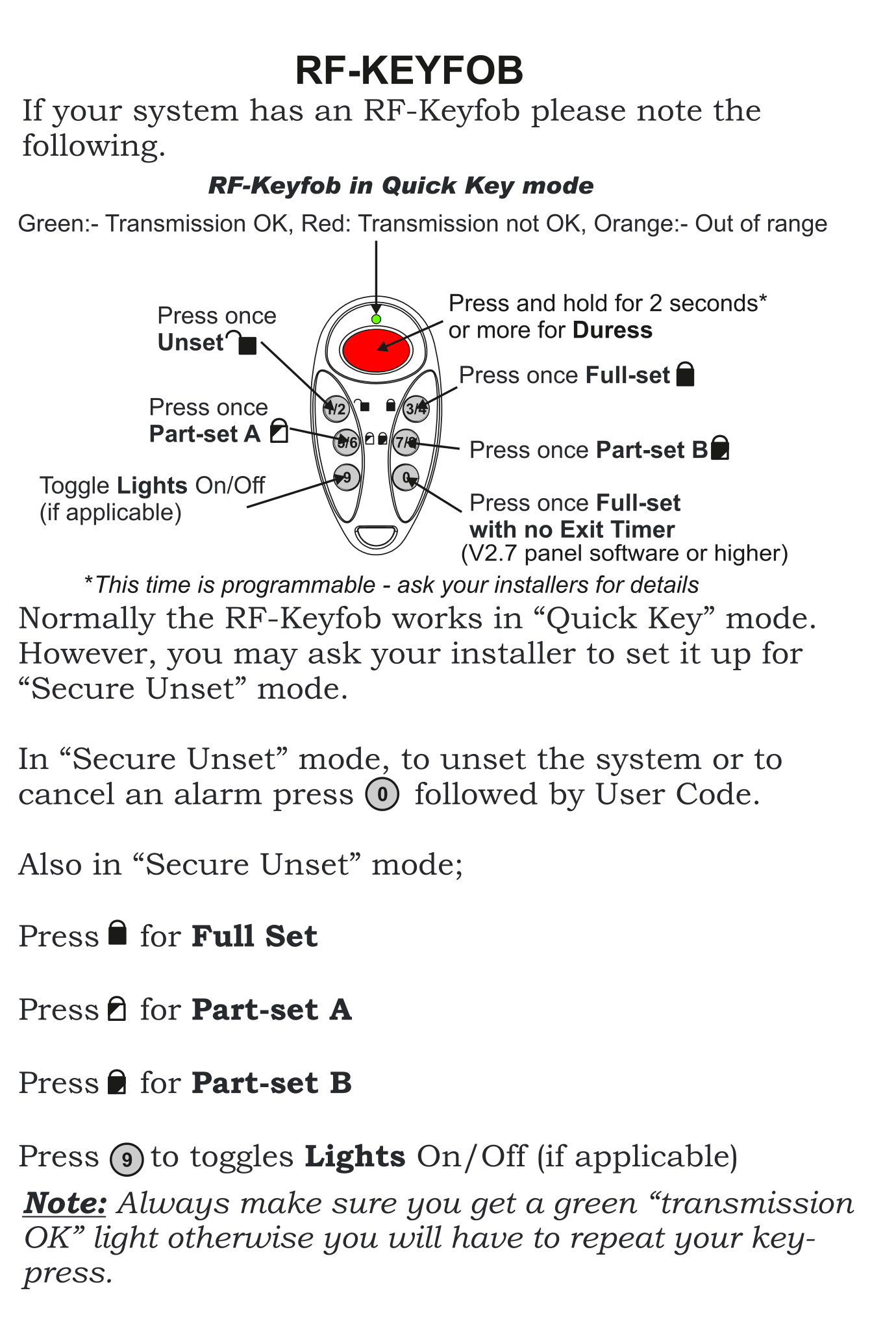
Keyfob Button Layout
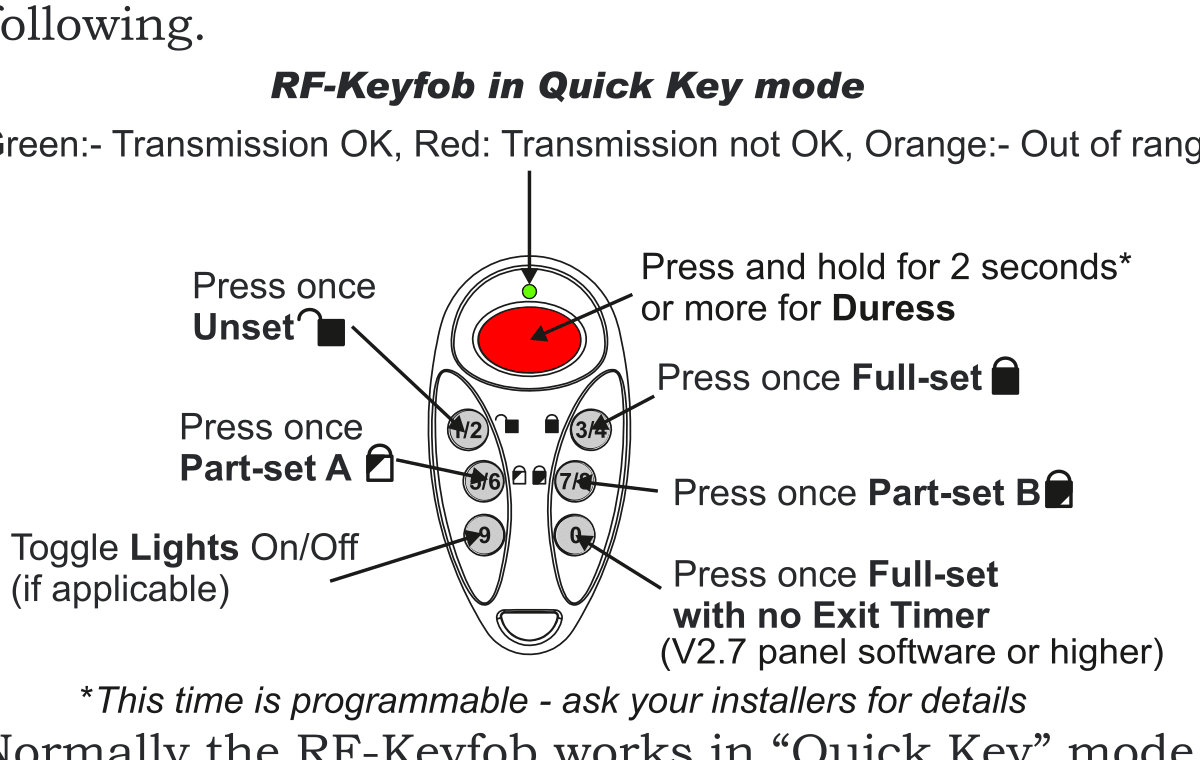
The keyfob has five buttons arranged around a central button:
| Button Position | Function | Icon |
|---|---|---|
| Top | Press and hold for 2+ seconds for Duress (emergency/panic) | — |
| Right (top) | Press once for Full Set (arm entire system) | Lock |
| Right (bottom) | Press once for Part Set B | Lock variant |
| Left (top) | Press once for Unset (disarm) | Unlock |
| Left (bottom) | Press once for Part Set A | Lock variant |
| Bottom | Press once for Full Set with no Exit Timer (V2.7 panel software or higher) | — |
| Centre | Toggle Lights On/Off (if applicable) | — |
Quick Key Mode (Default)
Normally, the RF Keyfob works in Quick Key mode. Simply press the appropriate button and the system responds:
- Press the Unset button → System disarms
- Press the Full Set button → System arms
- Press the Part Set A button → Part Set A arms
- Press the Part Set B button → Part Set B arms
LED Status Light
After pressing a button, the keyfob LED will flash:
| LED Colour | Meaning |
|---|---|
| Green | Transmission OK — the command was received |
| Red | Transmission not OK — try again |
| Orange | Out of range — move closer and try again |
The unset button press time is programmable — ask your installer for details.
Secure Unset Mode
Your installer may configure the keyfob to use Secure Unset mode instead of Quick Key mode. In Secure Unset mode, disarming requires both the keyfob and your User Code:
To unset (disarm) or cancel an alarm in Secure Unset mode:
- Press the 0 key on the keypad
- Enter your User Code
To arm in Secure Unset mode:
| Action | Button |
|---|---|
| Full Set | Press the lock button |
| Part Set A | Press the Part Set A button |
| Part Set B | Press the Part Set B button |
| Lights On/Off | Press the centre button (if applicable) |
Important Tips
Always make sure you get a green "Transmission OK" light after pressing a keyfob button. If the light is red or orange, you will need to repeat your key-press.
If your keyfob is lost or stolen, contact your installer immediately to deactivate it and prevent unauthorised access to your system.
If the keyfob LED is dim or doesn't light up, the battery may need replacing. Contact your installer.