Zone Inhibit — Temporarily Bypass a Zone
Use With Care
Zone Inhibit should be used with caution. Always identify the reason a zone is open before bypassing it. An inhibited zone will not trigger an alarm for the duration of the system set.
Sometimes you may need to arm your system even though a zone is active — for example, if you want to leave a window open. Zone Inhibit lets you temporarily bypass specific zones so you can still arm the system.
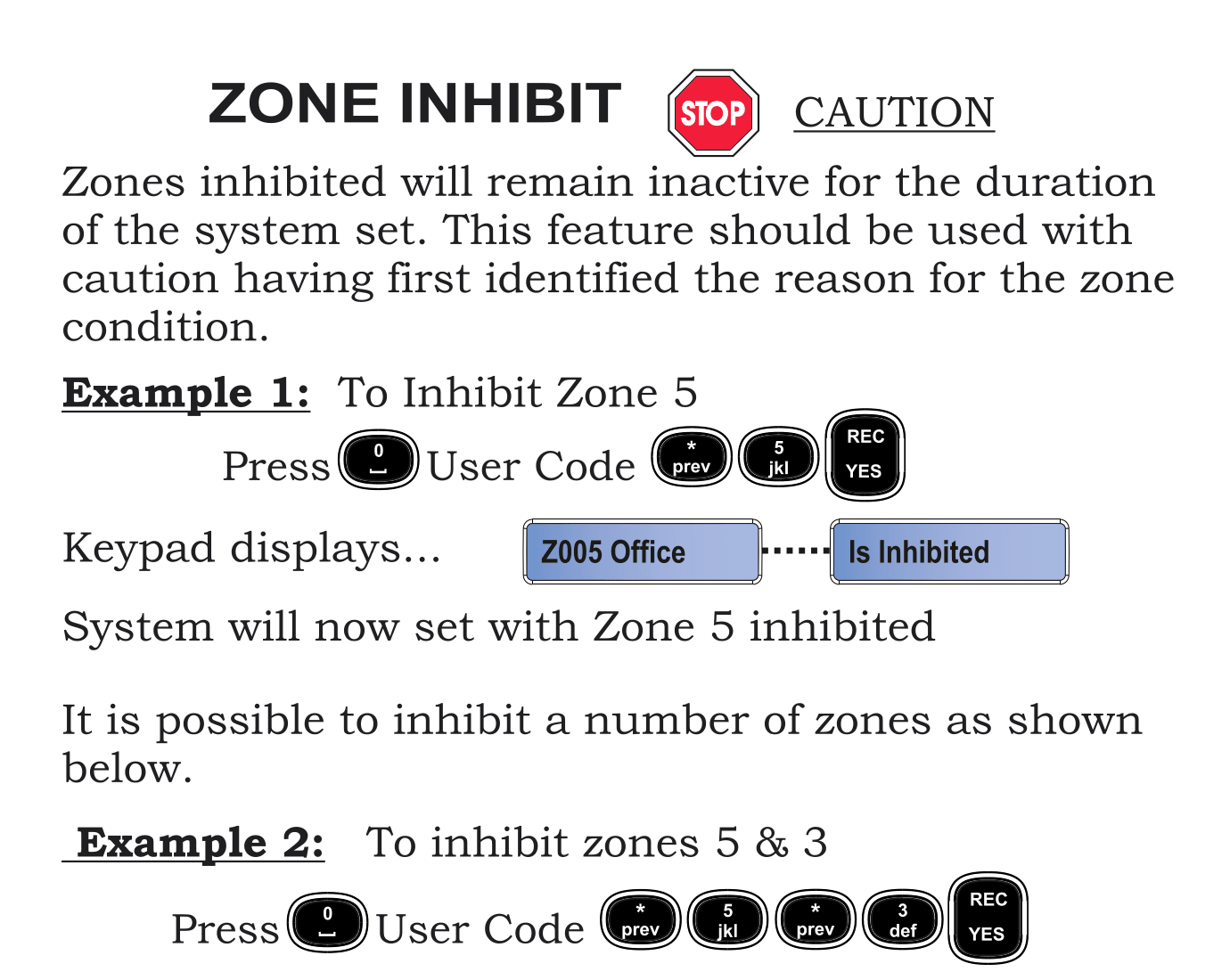
Example 1: Inhibit a Single Zone
To inhibit Zone 5 (e.g. your office window):
- Press 0
- Enter your User Code
- Press * / prev then 5
- Press REC / YES
- The keypad displays: Z005 Office ... Is Inhibited
- The system will now arm with Zone 5 bypassed
Example 2: Inhibit Multiple Zones
To inhibit Zone 5 and Zone 3:
- Press 0
- Enter your User Code
- Press * / prev then 3
- Press * / prev then 5
- Press REC / YES
- The system will set with both zones inhibited
note
The system will set in the normal manner after you confirm the inhibited zones.
Important Notes
- Inhibited zones remain inactive for the entire duration that the system is armed
- When you unset (disarm) the system, all inhibits are automatically cleared
- You must re-inhibit zones each time you arm the system if needed
- Always check why a zone is active before inhibiting it — it could indicate a genuine security issue
tip
Ask your installer for a list of your zone numbers and names so you know which zones to inhibit when needed. You can also see zone information in the Zone Reference page.